// Notes
A dark Ignition Designer from one menu item.
· 5 min read · Ignition
Ignition ships the Designer light-only. Dark mode is still the most-requested Designer idea on Inductive Automation’s ideas portal. Anyone who spends the day in an IDE already has this. I wanted it in the Designer too, so we built it and put the source on GitHub.
Designer Dark Mode
is free under Apache-2.0. Install the .modl on the gateway, relaunch the
Designer, then Tools → Dark Mode. One toggle restyles docks, trees, tables,
the Perspective palette, script editors and the console. The choice survives the next launch.
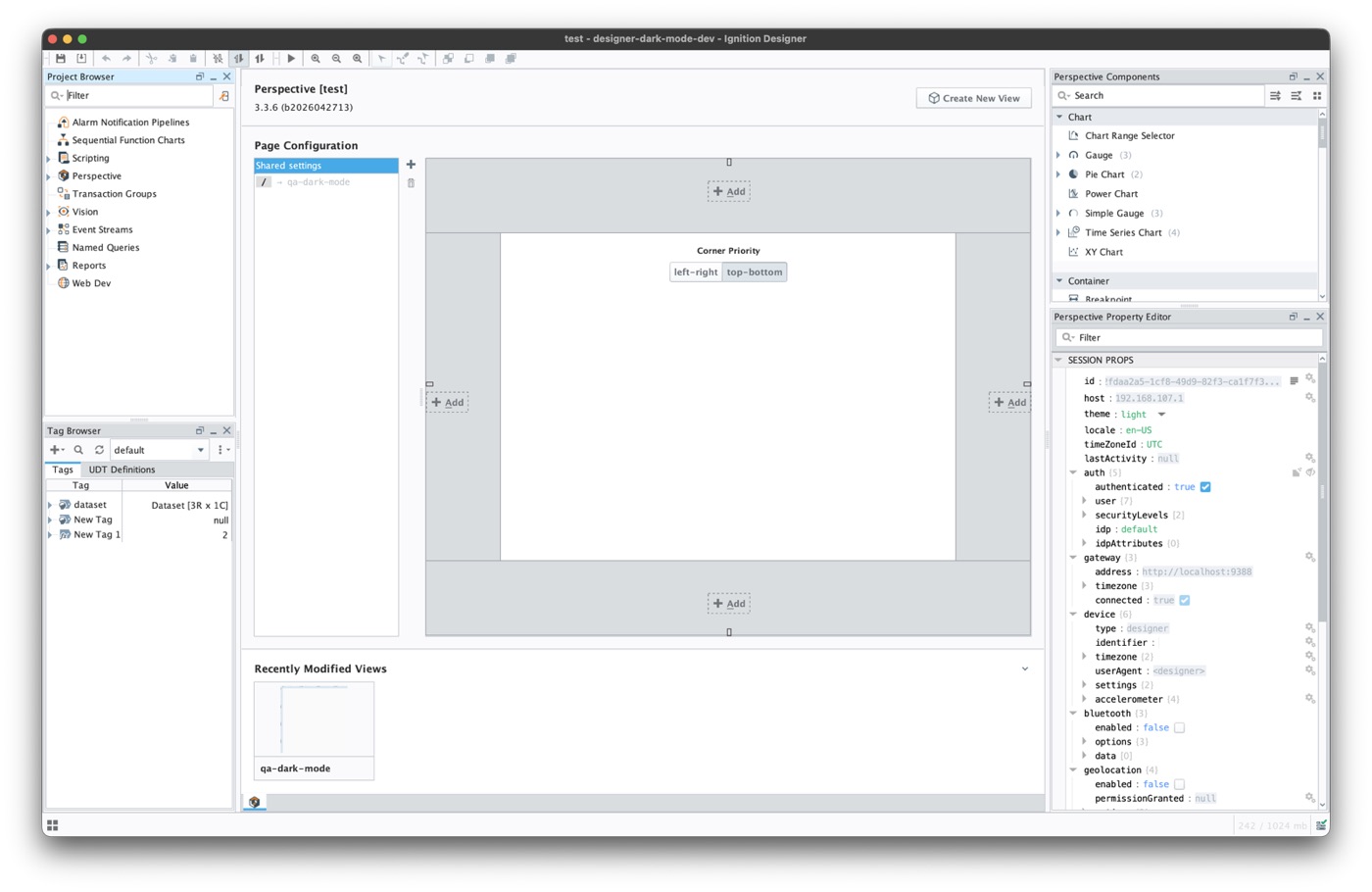
Dark mode off
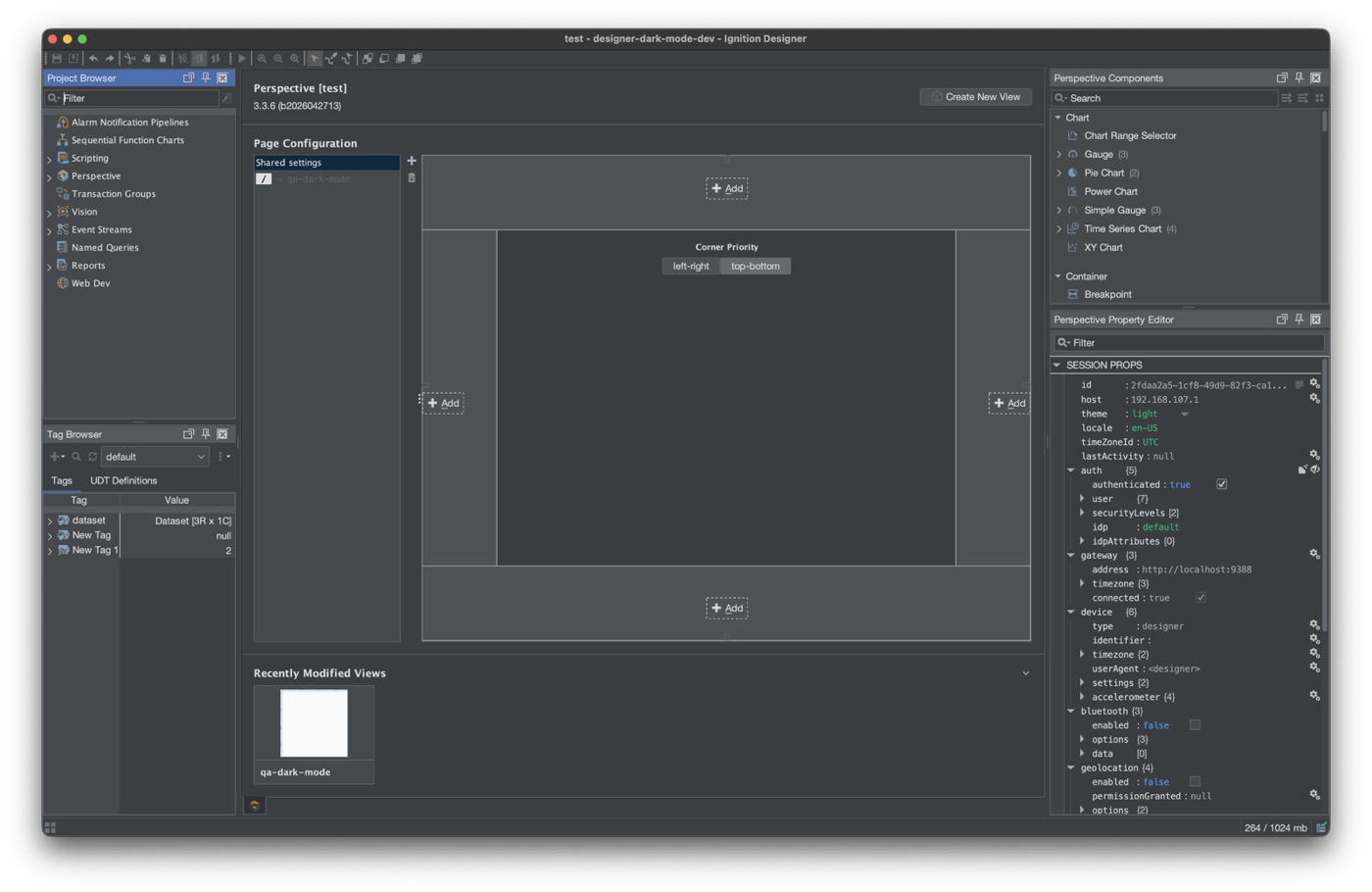
Dark mode on
Real Designer captures from the GitHub repo · not a mock-up
Why a module, not a project script
Justin Edwards’ Exchange script has served this need on 8.1 for years and now runs on 8.3 too. On 8.1 it is the only option. On 8.3 you have a choice. The script is imported per project and paints components one class at a time. The module installs once on the gateway, swaps the look and feel via FlatLaf, and reaches painters and renderers a script cannot. Do not run both in the same project.
Vision caveat
Vision windows and FlatLaf have a history. Current releases repair the serializer issues that used to make a Vision client refuse a window saved under dark mode. The module still steers clear while you are deep in Vision work, and the status bar tells you why. If your day is mostly Vision, the Exchange script remains the safer pick today.
Designer only
Nothing runs on the gateway for operators. Perspective sessions and Vision clients are untouched. The Perspective view canvas stays on the session theme on purpose. Free, signed, Ignition 8.3+.
Grab designer-dark-mode.modl from GitHub. Accept the certificate once, relaunch, toggle.
Designer Dark Mode on GitHub